

The Philippines eTravel system is a mandatory online registration that all travelers must complete before entering or departing the country. This free digital platform replaced the old paper arrival and departure cards, streamlining the immigration process at Philippine airports and seaports. This guide covers everything you need to know about completing your eTravel registration, from account creation to presenting your QR code at the border.
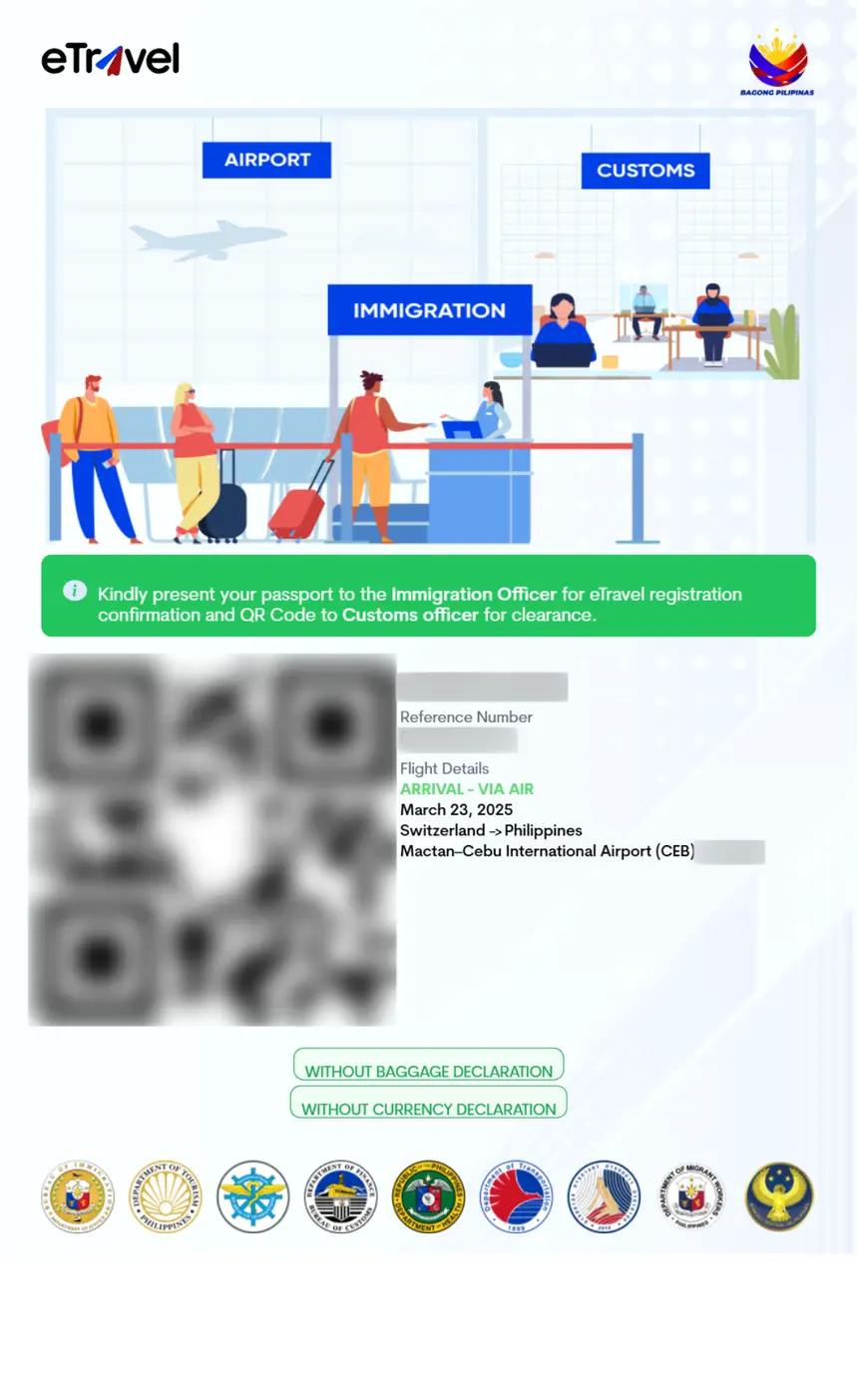
What Is the Philippines eTravel System?
The Philippine eTravel system is the official digital travel registration platform managed by the Philippine government. Launched to modernize border control procedures, it requires all arriving and departing passengers to register online before their trip.
The system operates under the Philippine Travel Information System and complies with the Ease of Doing Business Law (Republic Act No. 11032). It replaced the traditional paper-based embarkation and disembarkation cards that travelers previously filled out on flights.
Key facts about eTravel:
- Cost: Completely free. There is no fee to register on the official eTravel platform.
- Official website: etravel.gov.ph
- Who must register: All travelers, both Filipino citizens and foreign nationals, arriving in or departing from the Philippines.
- When to register: Ideally within 72 hours before your scheduled arrival or departure.
- What you receive: A QR code that immigration officers will scan at the port of entry or exit.
Who Needs to Complete eTravel Registration?
Every traveler entering or leaving the Philippines must complete eTravel registration. This includes:
- Foreign tourists visiting the Philippines
- Filipino citizens returning from abroad
- Business travelers and transit passengers
- Cruise ship passengers arriving at Philippine ports
- Children and minors traveling with parents or guardians
- Dual citizens and balikbayan travelers
There are no nationality-based exemptions from eTravel registration. Even travelers from countries with visa-free entry arrangements must complete the registration.
How to Register on the Philippines eTravel Portal
Step 1: Visit the Official eTravel Website
Go to etravel.gov.ph using a web browser on your computer, tablet, or smartphone. You can also download the eGovPH mobile app from the App Store or Google Play Store.
Step 2: Create an Account or Sign In
If you are a first-time user, click the registration or sign-in option. You will need to provide a valid email address. Returning users can sign in with their existing credentials.
Step 3: Select Your Travel Type
Choose whether you are arriving in or departing from the Philippines. The system will prompt you with the appropriate forms based on your selection.
Step 4: Enter Personal Information
Fill in the required personal details, including:
- Full name (as shown on your passport)
- Date of birth
- Nationality
- Passport number
- Gender
- Email address
- Contact number
Step 5: Provide Travel Details
Enter information about your trip:
- Flight number or vessel name
- Date of arrival or departure
- Airline or shipping company
- Purpose of travel
- Philippine address (hotel or residential address during your stay)
- Country of origin or final destination
Step 6: Answer Health Declaration Questions
Complete the health declaration section. This includes questions about your current health status, recent travel history, and any symptoms you may be experiencing.
Step 7: Review and Submit
Double-check all the information you have entered for accuracy. Errors in your passport number or flight details may cause issues at immigration. Once satisfied, submit your registration.
Step 8: Save Your QR Code
After submission, the system will generate a QR code. Save this code by taking a screenshot, downloading it to your phone, or printing a physical copy. You will need to present this QR code to immigration officers upon arrival or departure.
What Information Do You Need to Complete eTravel?
Before starting your registration, gather the following documents and information:
- Valid passport with at least six months of validity remaining
- Flight or travel details including flight number, airline, and travel dates
- Philippine accommodation address (hotel name and address, or residential address if staying with family)
- Contact information including email address and phone number
- Return or onward flight details if applicable
Having these details readily available will make the registration process quick and straightforward. Most travelers complete the form in 10 to 15 minutes.
When Should You Complete Your eTravel Registration?
You can complete your eTravel registration at any time before your trip, but the recommended timeline is:
- Best practice: Within 72 hours before your scheduled arrival or departure
- Minimum: Before arriving at the airport for check-in
- For cruise passengers: Before arriving at the Philippine port of call
Airlines may ask to see your eTravel QR code during check-in or boarding. Some carriers will not allow you to board the flight without a valid eTravel registration. To avoid delays or missed flights, complete your registration before heading to the airport.
Visa Requirements for the Philippines
The eTravel registration is separate from visa requirements. Whether you need a visa depends on your nationality and the length of your stay.
Visa-Free Entry
Citizens of over 150 countries can enter the Philippines without a visa for stays of up to 30 days. This includes travelers from the United States, United Kingdom, Canada, Australia, Japan, South Korea, and most European Union countries. Requirements for visa-free entry include:
- A passport valid for at least six months beyond the intended stay
- A return or onward ticket
- No derogatory record with the Philippine Bureau of Immigration
Visa on Arrival
Some nationalities are eligible for a visa on arrival at major Philippine airports. This typically applies to travelers from specific Asian and Middle Eastern countries.
eVisa or Visa Required
Travelers from countries not covered by visa-free or visa-on-arrival arrangements must apply for a visa at a Philippine embassy or consulate before traveling. The Philippine government is expanding its eVisa program for select nationalities.
Even if you qualify for visa-free entry, you must still complete the eTravel registration.
eTravel for Cruise Ship Passengers
Cruise passengers arriving at Philippine ports must also complete eTravel registration. The Philippine government has made provisions specifically for cruise travelers:
- Use the eGovPH app for cruise travel registration
- Register before arriving at the Philippine port
- Scan the designated QR code upon arrival
Cruise lines typically inform passengers about eTravel requirements during the voyage. However, it is best to complete your registration in advance to avoid delays at the port.
What Happens If You Do Not Complete eTravel Registration?
Failure to complete eTravel registration before arriving in the Philippines may result in:
- Delays at immigration: You may be required to complete the registration on the spot, which can significantly increase your waiting time.
- Denial of boarding: Some airlines will not allow passengers to board without a valid eTravel QR code.
- Additional scrutiny at the port of entry: Immigration officers may ask additional questions or require supplementary documentation.
To avoid any complications, always complete your eTravel registration before traveling.
Tips for a Smooth eTravel Experience
- Use a stable internet connection when completing the registration to avoid timeouts or lost data.
- Double-check your passport number and flight details before submitting. A single digit error can cause issues.
- Save your QR code in multiple formats: screenshot on your phone, email it to yourself, and print a physical copy.
- Register early: Do not wait until the last minute. Complete your registration at least 24 hours before departure.
- Update if plans change: If your flight details change after registration, update your eTravel profile with the correct information.
- Keep your passport handy: Immigration officers will verify your identity against the eTravel data.
Frequently Asked Questions
Is the Philippines eTravel registration free?
Yes, the eTravel registration is completely free. The official platform at etravel.gov.ph does not charge any fees. Be cautious of third-party websites that claim to process eTravel registration for a fee. Always use the official government portal.
How long does eTravel registration take?
Most travelers complete the registration in 10 to 15 minutes. The process is straightforward and requires basic personal and travel information.
Do I need to print my eTravel QR code?
While a digital copy on your phone is generally accepted, carrying a printed copy is recommended as a backup. Phone battery issues or connectivity problems at the airport could prevent you from accessing your QR code digitally.
Can I complete eTravel registration on my phone?
Yes. The eTravel portal is mobile-friendly, and you can also use the eGovPH mobile app available on iOS and Android devices.
Do children need eTravel registration?
Yes. All travelers, including children and infants, must have their own eTravel registration. Parents or guardians can complete the registration on behalf of their children.
What if I make a mistake on my eTravel form?
If you notice an error after submitting your registration, you can log back into the portal and update your information. Make sure all corrections are made before your travel date.
Do transit passengers need eTravel registration?
Yes. Even if you are only transiting through a Philippine airport, you should complete eTravel registration if you will pass through immigration.
Is eTravel the same as a visa?
No. eTravel is a travel registration system, not a visa. It is a mandatory digital form that all travelers must complete regardless of their visa status. Visa requirements are determined separately based on your nationality and purpose of travel.
How far in advance can I register?
You can register on eTravel at any time before your trip. The system accepts registrations up to several days in advance. The recommended window is 72 hours before arrival or departure.
What do I do if the eTravel website is not working?
If you experience technical issues with the eTravel portal, try using a different browser or device. You can also try clearing your browser cache. If problems persist, contact the eTravel support team through the official website.