

Every Filipino citizen and foreign national departing the Philippines on an international flight must complete an eTravel departure declaration before reaching the airport. This digital exit requirement – managed by the Bureau of Immigration (BI) through the Philippine Travel Information System – replaced the old paper departure cards and has been mandatory since its full rollout. Whether you are a tourist heading home after a beach holiday in Boracay, an Overseas Filipino Worker (OFW) returning to your job abroad, or a business traveler flying out of Ninoy Aquino International Airport (NAIA), completing the eTravel departure form is a non-negotiable step in your pre-departure checklist.
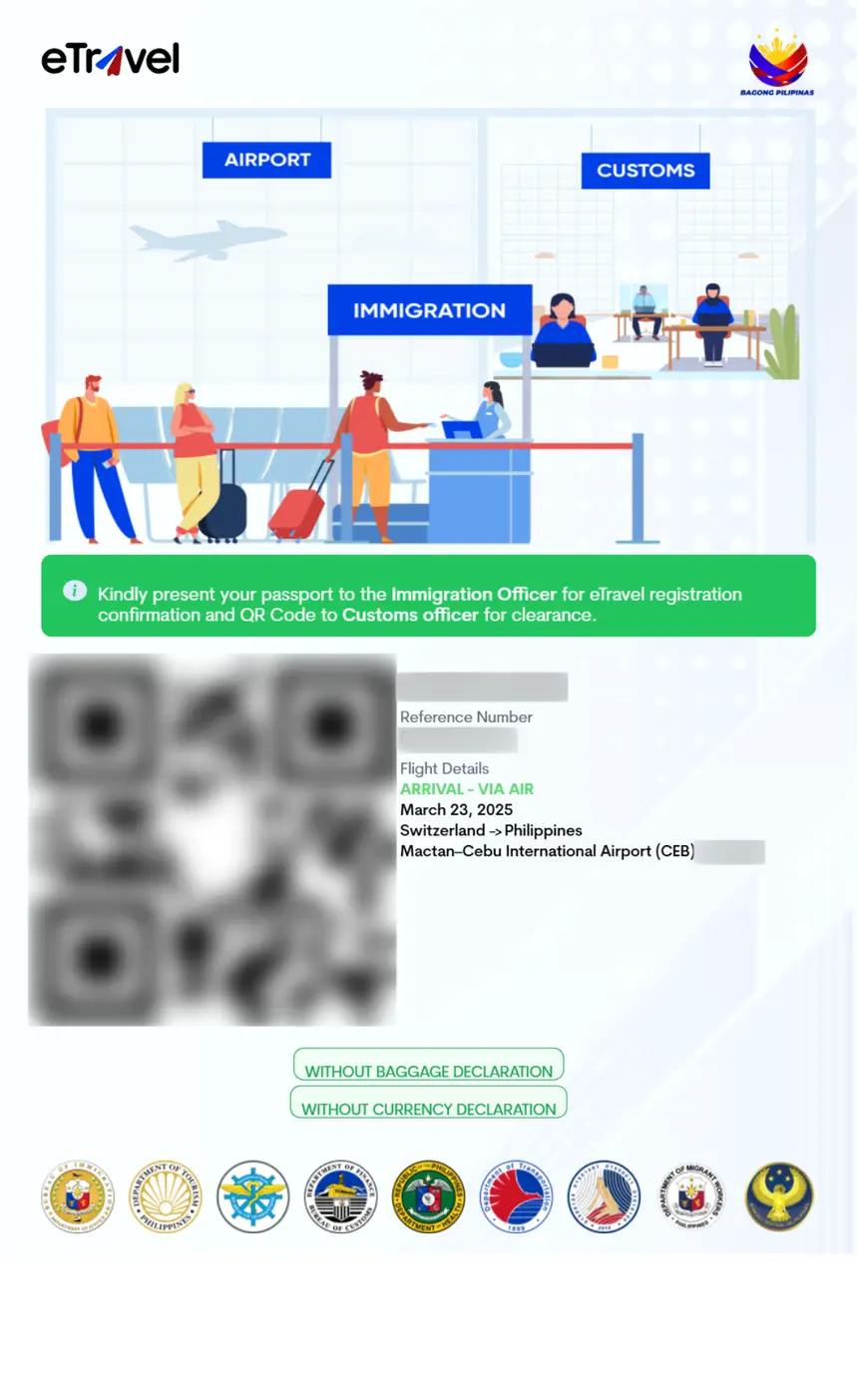
This guide explains exactly how the eTravel departure process works, who must complete it, what information you need to provide, and what to expect at the airport on your departure day.
What Is the eTravel Departure Declaration?
The eTravel departure declaration is the outbound component of the Philippine Travel Information System. While most travelers are familiar with the eTravel arrival registration required when entering the Philippines, the departure declaration serves a different purpose: it collects outbound travel data for the Philippine government, streamlines immigration exit processing, and links your departure record to your eTravel arrival registration from when you first entered the country.
The system is administered jointly by the Bureau of Immigration (BI), Bureau of Customs (BOC), and the Department of Transportation (DOTr). It operates under Republic Act No. 11032 (Ease of Doing Business and Efficient Government Service Delivery Act), which mandates digitalization of government services.
Key Facts About eTravel Departure
- Cost: Free – no fees charged at any stage
- Official website: https://etravel.gov.ph
- Registration window: Opens 72 hours before your scheduled departure
- QR code: Generated upon completion; required at check-in and immigration
- Validity: Single use – one QR code per departure
Who Must Complete the eTravel Departure Form?
All international departing passengers from the Philippines must register, regardless of nationality or immigration status:
- Filipino citizens traveling abroad for any purpose (tourism, work, study, medical treatment)
- Foreign tourists leaving after their Philippine vacation
- OFWs returning to their country of employment
- Balikbayans departing after a family visit
- Business travelers completing a work trip
- Transit passengers departing from a Philippine airport after a layover
- Cruise ship passengers departing from a Philippine seaport
- Children and infants – every passenger needs their own individual departure registration, regardless of age
- Diplomatic passport holders – no exemptions exist for the eTravel departure requirement
The only scenario where you would not need an eTravel departure registration is if you are traveling on a purely domestic flight within the Philippines (e.g., Manila to Cebu). Domestic travel does not require eTravel.
Step-by-Step: How to Complete the eTravel Departure Registration
Method 1: Web Browser (etravel.gov.ph)
Step 1: Access the Official Website
Open any web browser on your phone, tablet, or computer and go to https://etravel.gov.ph. Verify the URL begins with https://etravel.gov.ph – avoid third-party sites that may charge fees or collect your data fraudulently. The eTravel system is always completely free.
Step 2: Log In or Create an Account
If you have previously registered for eTravel (for arrival), use the same account credentials. Your personal information will auto-populate, saving time. First-time users must create an account with a valid email address that you can access during your trip. The system sends a verification link to confirm your email.
Step 3: Select “Departure” as Your Travel Direction
When starting a new registration, the form asks whether you are arriving or departing. Select “Departure” (sometimes labeled as “Departing” or “Outbound”). This is the critical step that distinguishes this registration from an arrival declaration.
Step 4: Enter Your Personal Details
Fill in the required fields with information that matches your passport exactly:
- Full legal name (as printed in your passport’s machine-readable zone)
- Date of birth
- Gender
- Nationality
- Passport number and expiry date
- Email address and phone number with country code
Step 5: Provide Your Travel Details
Enter your departure-specific information:
- Airline name and flight number (e.g., “Philippine Airlines PR 655” or “Cebu Pacific 5J 929”)
- Departure date
- Departure airport – select from the list of Philippine international airports:
- Ninoy Aquino International Airport (NAIA) – Terminal 1, 2, or 3 in Manila
- Mactan-Cebu International Airport (MCIA) in Cebu
- Clark International Airport (CRK) in Pampanga
- Davao Francisco Bangoy International Airport (DVO)
- Iloilo International Airport (ILO)
- Kalibo International Airport (KLO)
- Puerto Princesa International Airport (PPS)
- Subic Bay International Airport (SFS)
- General Santos International Airport (GES)
- Zamboanga International Airport (ZAM)
- Destination country and city
- Purpose of travel (tourism, business, employment, study, transit, medical, etc.)
Step 6: Complete the Customs Declaration Section
The departure form includes a customs declaration section. You must declare whether you are carrying:
- Currency or monetary instruments exceeding PHP 50,000 (or its foreign equivalent)
- Items subject to export restrictions or requiring special permits
- Commercial goods or merchandise
- Prohibited items (firearms, explosives, illegal drugs, etc.)
Answer honestly – Philippine customs officers may inspect your luggage after immigration.
Step 7: Review and Submit
Double-check every field before submitting. The most common errors that cause problems at the airport are:
- Misspelled name (does not match passport)
- Wrong passport number
- Incorrect flight number
- Wrong departure airport selected
After submission, the system generates your departure QR code.
Step 8: Save Your QR Code
Immediately save your QR code in multiple ways:
- Screenshot it to your phone’s photo gallery
- Download the PDF if available
- Email it to yourself
- Print a physical backup copy
You will need to present this QR code at the airline check-in counter and at the immigration departure counter.
Method 2: eGovPH Mobile App
The eGovPH super-app (available on iOS and Android) provides an alternative registration method with additional benefits:
- Offline QR code access – once saved, the QR code is stored locally on your device and works without internet
- Push notifications – reminders when the 72-hour registration window opens
- Auto-fill – saves your personal information for faster repeat registrations
- Multi-language interface – English and Filipino
Search “eGovPH” on the Apple App Store or Google Play Store to download.
What Happens at the Airport on Departure Day
Understanding the departure process at Philippine airports helps you prepare and reduces stress, especially during peak travel seasons.
Before Reaching the Airport
Complete your eTravel departure registration from your hotel, home, or any location with reliable internet. Do not wait until you arrive at the airport – airport WiFi can be slow or unreliable, and registration takes 10-20 minutes. Having your QR code ready before you leave for the airport eliminates last-minute panic.
At the Airline Check-in Counter
When you arrive at the airport and proceed to your airline’s check-in counter, the agent will request:
- Your passport
- Your booking confirmation or e-ticket
- Your eTravel departure QR code
The airline agent scans your QR code to verify your registration. If you cannot present a valid QR code, the airline may deny you boarding until you complete the registration. Some airlines have dedicated WiFi zones near their counters for passengers who need to register on the spot, but this is not guaranteed.
At the Immigration Departure Counter
After checking in and receiving your boarding pass, you proceed to the Bureau of Immigration departure area. The immigration officer will:
- Scan your eTravel departure QR code using a handheld scanner or desktop device
- Verify your identity against your passport
- Stamp your passport with the departure date
- Ask standard exit questions (purpose of trip, duration, return plans)
The eTravel QR code scan replaces the old paper departure card (also known as the “departure card” or “ED card”) that travelers used to fill out by hand. The digital system is significantly faster – the scan takes only a few seconds compared to the minutes required to process a paper form.
After Immigration: Departure Gates and Duty Free
Once you clear immigration, the process is the same as any international airport:
- Proceed through security screening
- Access the departure gate area and duty-free shopping
- Board your flight at the designated gate and time
Your eTravel departure registration is complete at this point – you will not need the QR code again until your next trip to or from the Philippines.
eTravel Departure for OFWs (Overseas Filipino Workers)
OFWs have specific considerations when completing the eTravel departure form:
- Balik-Manggagawa certificate: If you are a returning OFW (Balik-Manggagawa), you may need to present your employment contract or Overseas Employment Certificate (OEC) at immigration. The eTravel system does not replace these documents.
- POEA clearance: Some OFWs require clearance from the Philippine Overseas Employment Administration (POEA) before departure. This is separate from the eTravel registration.
- Multiple departures: If you travel back and forth between the Philippines and your country of employment, you must complete a new eTravel departure registration for each departure.
- Same account: Use the same eTravel account for all your trips. Your personal information will auto-fill, making repeat registrations faster.
eTravel Departure for Cruise Ship Passengers
If you are departing the Philippines via cruise ship, the process is similar but with cruise-specific details:
- Select “Cruise” as your departure method instead of “Flight”
- Enter your cruise ship name and sailing date instead of airline and flight number
- Select the Philippine seaport where you will depart (Manila, Cebu, Subic Bay, etc.)
- Complete the same personal information and customs declaration sections
Complete your eTravel departure registration before your cruise ship leaves port. Internet access on cruise ships can be expensive and unreliable, so register in advance using hotel or public WiFi.
Common eTravel Departure Mistakes and How to Avoid Them
1. Registering for Arrival Instead of Departure
The most frequent mistake is accidentally completing an arrival registration when you need a departure registration. When the form asks about your travel direction, carefully select “Departure” or “Departing.” An arrival QR code will not work at the departure immigration counter.
2. Wrong Flight Number
Entering an incorrect flight number causes your QR code to not match the airline’s manifest. Check your booking confirmation or e-ticket for the exact flight number, including the airline code (e.g., “PR 655” not “PAL 655”).
3. Registering Too Early or Too Late
The 72-hour window is strictly enforced. Registering more than 3 days before departure will fail. Waiting until you are at the airport risks connectivity issues and delays. Register as soon as the window opens.
4. Not Having the QR Code Accessible
If you only save the QR code within the eTravel website or app and lose internet access at the airport, you cannot retrieve it. Always screenshot or print your QR code as a backup.
5. Using Unofficial Websites
Third-party websites may charge $20-$50 for eTravel registration or collect your passport data for fraudulent purposes. Only use the official https://etravel.gov.ph website or the eGovPH app. Registration is always free.
6. Mismatched Passport Information
Your eTravel departure registration must match your passport character for character, including middle names, suffixes (Jr., Sr., III), and hyphenated names. Copy your name exactly from the machine-readable zone of your passport.
7. Forgetting the Customs Declaration
Skipping or lying on the customs declaration section can result in fines, confiscation of items, or legal trouble. If you are carrying currency above PHP 50,000 or items that require export permits, declare them honestly.
Required Documents for eTravel Departure
Have these documents ready before starting your eTravel departure registration:
| Document | Details |
|---|---|
| Valid passport | Must match your eTravel registration exactly |
| Flight booking confirmation | Airline name, flight number, departure date |
| Return or onward ticket | May be required by immigration for foreign nationals |
| Travel visa | Required if your destination country requires one |
| Employment documents | OFWs: OEC, employment contract, POEA clearance |
| Customs documentation | Export permits for restricted items, if applicable |
eTravel Departure vs. Old Paper Departure Card
The eTravel system fully replaced the traditional paper departure card (ED card) that Philippine airports previously required. Here is how the two systems compare:
| Feature | Old Paper Departure Card | eTravel Departure |
|---|---|---|
| Format | Paper form, handwritten | Digital, online |
| When to complete | At the airport before immigration | Up to 72 hours before departure |
| Processing time | 3-5 minutes at immigration counter | Seconds (QR code scan) |
| Cost | Free | Free |
| Errors | Common (illegible handwriting) | Reduced (typed input, validation) |
| Data retention | Paper archived | Digital, linked to your account |
| Replacement | Must fill out new form if lost | Log in and retrieve QR code |
Frequently Asked Questions
Is the eTravel departure registration mandatory for all departing passengers?
Yes. All international departing passengers from the Philippines – Filipino citizens, foreign nationals, OFWs, transit passengers, and children of all ages – must complete the eTravel departure registration. There are no exemptions based on nationality, age, or purpose of travel.
How much does the eTravel departure registration cost?
Nothing. The eTravel departure registration is completely free. The Philippine government does not charge any fee. Any website or service that charges for eTravel registration is a scam.
When should I complete my eTravel departure registration?
Complete it as soon as the 72-hour window opens (3 days before your scheduled departure). Do not wait until you are at the airport, as internet connectivity may be unreliable.
What if I made a mistake on my eTravel departure form?
Log back into your eTravel account and edit your submission before your departure date. The system allows corrections to most fields. If you discover an error at the airport, you may need to complete a new registration.
Do children and infants need their own eTravel departure registration?
Yes. Every passenger, including newborns, must have their own individual eTravel departure registration with a unique QR code. Parents or guardians can complete the registration on behalf of children using the child’s passport details.
Can I complete the eTravel departure registration for someone else?
Yes. You can register on behalf of another person, including elderly family members, children, or anyone who needs assistance. You will need their passport and travel information.
What if I don’t have internet access at the airport?
Complete your registration before arriving at the airport and save the QR code as a screenshot or printed copy. The eGovPH app also stores QR codes offline once generated.
Is the eTravel departure the same as an exit visa?
No. The eTravel departure registration is a travel declaration and data collection tool, not an exit visa. It does not grant or restrict your right to leave the Philippines. Your ability to depart depends on your passport validity, destination country visa requirements, and any outstanding legal or immigration holds.
What happens if I arrive at the airport without completing the eTravel departure registration?
You will need to complete the registration on the spot using airport WiFi or your mobile data. This can cause significant delays and stress. Some airlines may deny boarding if you cannot present a valid QR code. Always complete the registration before heading to the airport.
Do permanent residents or long-term visa holders need to complete the eTravel departure?
Yes. All international travelers departing the Philippines must complete the eTravel departure registration, regardless of their immigration status in the Philippines.
How long is the eTravel departure QR code valid?
Each QR code is valid for a single departure only. After your trip, that QR code expires. You must complete a new registration for every subsequent departure from the Philippines.
Can I use the same eTravel account for both arrival and departure?
Yes. Your eTravel account works for both arrival and departure registrations. When starting a new registration, you simply select whether you are arriving or departing. Your personal information carries over between registrations, saving time on repeat trips.